What to Do When Your Power Station Drains Too Fast?
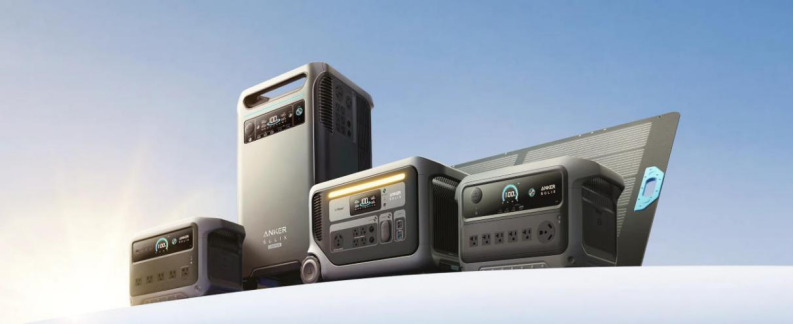
Sudden battery drain can make a power station feel unreliable, especially during moments when backup energy is most needed. Many people depend on these devices for camping trips, home outages, outdoor projects, or mobile work setups. When stored energy disappears faster than expected, the cause is often linked to usage patterns, environmental conditions, or battery aging rather than a major defect. Learning how to identify these factors helps extend runtime and avoid unnecessary replacement. In this article, clear and practical steps are outlined to diagnose fast battery drain, determine when repair is needed, and decide whether replacement makes sense.
1. Check Your Usage First
Calculate the Wattage of Devices You Plug In
Every appliance or electronic device has a wattage rating that determines how quickly it consumes stored energy. Small electronics such as phones, tablets, and LED lamps draw minimal power compared to appliances with heating elements or motors. Adding together the wattage of all connected devices provides a realistic estimate of total demand. When total output stays high for long periods, battery levels naturally fall faster. Understanding this relationship often reveals that fast drain is linked to heavy usage rather than equipment failure.
Avoid Peak-Power Appliances Like Heaters
Certain household devices create sudden spikes in power demand. Space heaters, hair dryers, and electric kettles can use more electricity in minutes than smaller electronics use in hours. Running these appliances frequently will shorten the runtime significantly. Limiting their use or operating them one at a time reduces stress on the battery system. Managing peak loads is one of the simplest ways to improve overall performance.
2. Diagnose Basic Issues
Test in Moderate Temperatures (Not Too Hot or Cold)
Temperature plays an important role in battery efficiency. Extremely cold conditions can temporarily lower available capacity, while excessive heat can increase internal resistance and energy loss. Testing the unit indoors at room temperature helps determine whether the climate is affecting performance. If runtime improves in stable conditions, the battery itself may still be healthy. Proper temperature management supports both safety and longer battery life.
Inspect Cables and Ports for Damage
Worn cables or loose connectors can lead to inefficient energy transfer. When contact points are unstable, devices may draw power unevenly or disconnect repeatedly. Examining cables for fraying and checking ports for dust or bent pins can uncover hidden problems. Replacing faulty accessories often restores normal charging and discharging behavior. Good connections ensure that stored energy is used effectively rather than wasted.
3. Know When to Seek Repair
Contact the Manufacturer if Under Warranty
If battery drain continues despite careful usage and troubleshooting, warranty support should be considered. Manufacturers can run diagnostic checks to assess battery health and system performance. Early evaluation helps prevent small issues from becoming larger failures. Keeping purchase records and warranty details accessible speeds up the process. Professional support ensures that repairs are handled safely and correctly.
Seek Professional Help for Internal Battery Failure
Internal components such as battery cells or control systems can degrade over time. When this happens, the device may lose charge quickly even under light loads. Professional technicians have the equipment needed to test internal systems accurately. Attempting to open or repair the unit without training can be unsafe. Certified service protects both the user and the device.
4. Decide When to Replace It
Consider Replacement if Battery Health is Below 70%
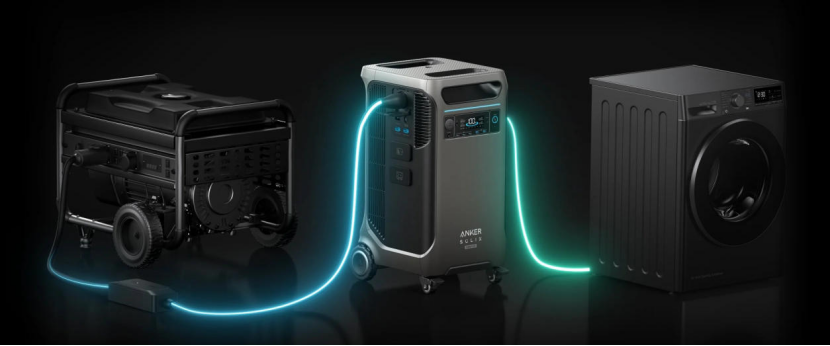
Battery capacity naturally declines after years of use, and performance drops become more noticeable once health falls below about seventy percent. At that stage, replacement may be more practical than repeated repairs, especially for households relying on dependable backup energy. Some newer long-term home backup options, such as the Anker SOLIX F3800 Plus portable power station, are built with EV-grade cells designed for over a decade of service and include extended warranty coverage. Choosing equipment designed for a long lifespan reduces the frequency of future replacements. Evaluating battery health helps determine when an upgrade is a smart investment rather than an unnecessary expense.
Upgrade if Your Power Needs Have Grown
Energy needs often increase over time as more devices become part of daily life. A unit that once powered lights and phones may struggle when laptops, fans, or appliances are added. Upgrading to a higher-capacity model can provide longer runtime and greater flexibility. Matching equipment capacity to real-world usage ensures consistent performance. Planning ahead prevents future power shortages.
5. Maintain Your New or Current Unit
Store at 50-80% Charge in a Cool Place
Proper storage has a significant impact on battery lifespan. Keeping charge levels between roughly half and eighty per cent reduces long-term stress on battery cells. A cool, dry storage environment protects internal components from moisture and overheating. Checking charge levels every few months prevents deep discharge. Good storage habits help maintain reliable performance for years.
Use the Correct Charger Every Time
Using the charger designed for the unit ensures safe and efficient energy transfer. Incompatible chargers may lead to incomplete charging or long-term battery strain. Consistent use of proper charging equipment supports accurate battery management. Charging routines that follow manufacturer guidelines improve overall durability. Reliable charging practices are a key part of long-term maintenance.
Conclusion
Fast battery drain is often the result of heavy loads, environmental conditions, or natural battery aging rather than a sudden defect. Careful monitoring of device wattage, proper charging habits, and regular inspection of cables can significantly improve performance. Professional diagnostics help identify deeper issues when basic troubleshooting does not solve the problem. When replacement becomes necessary, choosing a durable, long-lasting model from a trusted brand like Anker ensures dependable backup power for years to come. Thoughtful use and maintenance allow power stations to remain reliable tools for both everyday convenience and emergency preparedness.
Hot Articles






Copyright © 2023 guideforests.com. All rights reserved.